



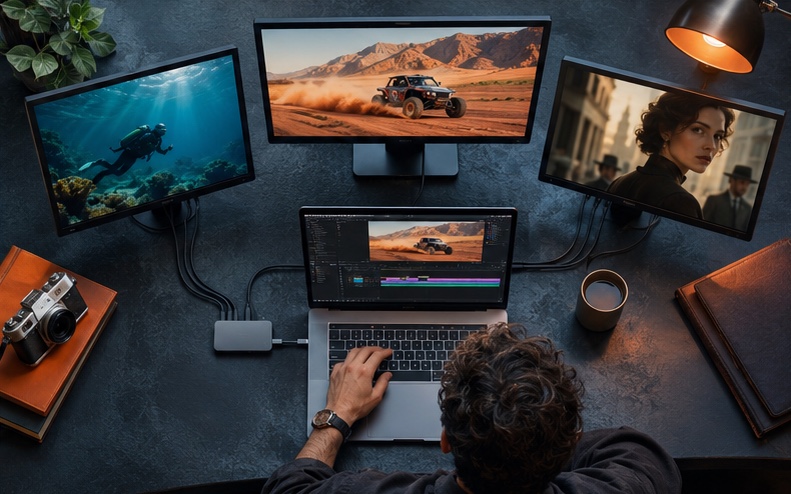



Model-as-a-Service (MaaS) means accessing AI models through an API instead of training, hosting and maintaining them yourself. For tech companies, it is the fastest way to add AI video, image, avatar and translation features to a product. With AKOOL, one integration can give your users access to multiple generation models plus production-ready features like face swap, lip-sync and video translation.
Key takeaways
- MaaS lets product teams ship AI video features in weeks instead of building model infrastructure.
- One API with multiple models reduces vendor lock-in and lets you route tasks to the best model.
- Finished features such as avatars, face swap and translation save more engineering time than raw model access alone.
- Plan for asynchronous jobs, webhooks, usage tracking and content moderation from day one.
- Companies like Fanvue, Wittify.ai and PixelML have used AKOOL to grow adoption, engagement and conversion.
Why Are Tech Companies Choosing MaaS for AI Video?
Video generation models change quickly. New versions appear every few months, and each provider has different strengths in motion, realism, style and speed. Building and hosting your own video models requires GPU infrastructure, research talent and constant updates. Integrating each model provider directly means maintaining many APIs, billing systems and output formats.
A MaaS layer solves this. Your product calls one API, and you choose which model handles each task. When a better model ships, you can offer it without rebuilding your integration.
What Can You Build with AKOOL as a MaaS Layer?
- Text-to-video and image-to-video: Give users access to leading video models available on AKOOL, such as Seedance 2.5, Kling 4.0, Google Veo, Wan 3.0 and MiniMax H3.
- AI image generation: Add models such as Seedream 5.5, Nano Banana 2 and GPT Image 2.0.
- Talking and streaming avatars: Let users create presenter videos or real-time digital humans.
- Face swap: Power personalization, photo booths and creator tools.
- Video translation and lip-sync: Let users localize video into other languages.
Who Uses AI Video MaaS?
- Creator platforms that want studio-quality tools inside their apps.
- Marketing and ad tech companies generating personalized creative at scale.
- Conversational AI companies adding a face to their agents.
- Communication and real-time platforms adding avatars to voice and video.
- E-learning, e-commerce and agency tools that need video inside existing workflows.
- Hardware and event companies building photo booths and interactive displays.
How to Integrate AI Video Generation: Step by Step
Step 1: Define the Feature, Not Just the Model
Start with the user outcome: a one-click product video, a talking avatar for onboarding or a translated version of an uploaded video. This tells you which AKOOL capabilities and models you need.
Step 2: Prototype in the AKOOL Platform
Test prompts, models and settings in the AKOOL web app before writing code. This shows your product and design teams what outputs look like and which models fit your use case.
Step 3: Connect the API
Get your API credentials and follow the AKOOL API documentation. AKOOL also offers developer options such as a CLI and an MCP server for connecting AI agents.
Step 4: Design for Asynchronous Jobs
Video generation takes time. Submit jobs, store their IDs and use webhooks or polling to receive results. Show users clear progress states in your interface.
Step 5: Route Tasks to the Right Model
Offer a default model for most users and premium models for higher-quality or longer outputs. Routing by task, quality tier or cost gives you control over margins.
Step 6: Add Guardrails
Moderate prompts and uploads, require consent for real faces and voices and label AI outputs where your markets or app stores require it. Build reporting tools for misuse.
Step 7: Track Usage and Package Pricing
Log usage per user and feature. Many companies offer AI video in premium tiers, as Wittify.ai did with custom avatars.
What Results Have Tech Companies Seen?
- Fanvue added AKOOL face swap, AI avatars and multilingual lip-sync to give creators studio-quality video tools and grew adoption by 25%. Read the case study.
- PixelML used AKOOL video generation APIs to create personalized video ads at scale, achieving 32% higher conversion rates. Read the case study.
- Wittify.ai added AKOOL AI avatars to its conversational AI, driving a 3x increase in user engagement and launching premium custom avatar tiers. Read the case study.
- Foto Master used the AKOOL Face Swap API to launch a real-time face swap photo booth that boosted event engagement and social sharing. Read the case study.
- WPP used AKOOL AI Background Change to cut image editing time by up to 70% and lower client production costs by an average of 40%. Read the case study.
Build vs. Buy: When Does MaaS Make Sense?
MaaS is usually the better choice when AI video is a feature in your product rather than your core research, when you need to launch quickly, or when you want to offer several models without integrating each provider. Building your own models can make sense if you have unique data, research staff and very large, steady volume. Many companies start with MaaS and revisit the decision as usage grows.
Conclusion: Ship AI Video Features Faster
Your users want the latest AI video capabilities inside the tools they already use. A model-as-a-service approach lets you deliver them without building model infrastructure, and lets you keep up as new models launch. Explore the AKOOL API or talk to our team about your integration.
Related Use Cases
Frequently Asked Questions
What is Model-as-a-Service?
Model-as-a-Service is a way to use AI models through an API, where the provider handles hosting, scaling and updates. You pay for usage instead of running your own infrastructure.
Which AI video models can I access through AKOOL?
AKOOL offers many video and image models, including Seedance, Kling, Google Veo, Wan and MiniMax, alongside its own avatar, face swap and translation features. Availability can change as new models launch, so check the AKOOL models page for the current list.
How long does an API integration take?
It depends on your product. A basic proof of concept can often be built in days, while a production feature with moderation, billing and UI usually takes longer.
Can I white-label AI video features?
Many partners embed AKOOL capabilities inside their own products and interfaces. Contact the AKOOL team to discuss enterprise and partnership options.
How do I keep users from misusing AI video features?
Combine prompt and upload moderation, consent requirements for real faces and voices, usage limits, AI labeling and a way for people to report misuse.