



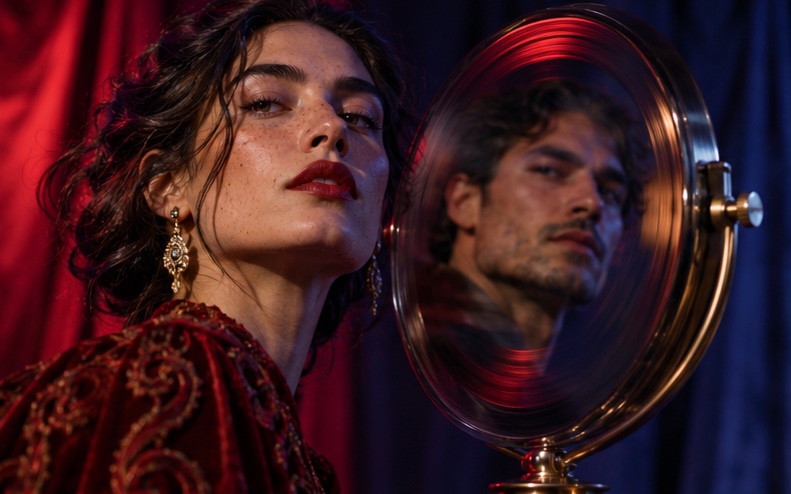



A face swap API lets your app, website or device replace a face in an image or video with a user's face through code. Tech companies, agencies and hardware makers use the AKOOL Face Swap API to build personalized experiences, such as AI photo booths, "star in the ad" campaigns, personalized storybooks and creator tools, without building and hosting face models themselves.
Key takeaways
- Face swap APIs power personalization at scale: every user can see themselves in the content.
- Popular uses include event photo booths, interactive campaigns, games, personalized books and creator apps.
- Quality depends on face detection, lighting and angle matching, skin tone blending and video consistency.
- Consent and safety are essential: only swap faces users have the right to use, and moderate inputs.
- Brands including Qatar Airways, Coca-Cola and Häagen-Dazs have run face swap experiences powered by AKOOL.
What Is a Face Swap API?
A face swap API is a service that detects a face in a source photo and maps it onto a face in a target image or video, matching pose, expression, lighting and skin tone. Developers send the source face and target media to the API, and receive a finished image or video. Because the heavy computer vision runs on the provider's infrastructure, your product only needs to handle uploads, consent and display.
AKOOL Face Swap supports images and video, and the same capability is available to developers through the AKOOL API.
What Can You Build with a Face Swap API?
- AI photo booths at events, retail stores and brand activations, where guests become the hero of a themed scene.
- "Star in the ad" campaigns that let viewers put themselves into a brand film.
- Interactive games and microsites where players see their own face in the experience.
- Personalized products such as storybooks, greeting cards and keepsakes.
- Creator and model content tools that produce new visuals without new shoots.
- Film and VFX workflows for consistent characters and identity protection.
What Results Have Companies Seen?
- Foto Master used the AKOOL Face Swap API to launch a real-time face swap photo booth that boosted event engagement and social sharing. Read the case study.
- Qatar Airways used AKOOL face swap for AI Adventure, the first airline ad that lets viewers star in the film, with over 13 million YouTube views. Read the case study.
- Häagen-Dazs Taiwan ran a Moon Festival face swap campaign that drove 50,000+ user interactions and a 6% lift in mooncake sales. Read the case study.
- Coca-Cola built Ultimate You, a browser game that put players' faces into the Coca-Cola Ultimate world with AKOOL face swap. Read the case study.
- Canon showcased an AI photo booth powered by AKOOL face swap and image generation, delivering instant personalized photos. Read the case study.
- Pictofable uses AKOOL face swap to place a child's photo into storybook characters, creating personalized books with minimal manual effort. Read the case study.
How to Integrate a Face Swap API: Step by Step
Step 1: Design the Experience
Decide what users will see: a themed photo, a short video, a game character or a product preview. Prepare high-quality target images or videos with clear, well-lit faces at angles similar to the photos users will upload.
Step 2: Prototype in the AKOOL Platform
Test your target media and sample selfies in AKOOL Face Swap before integrating. This shows which templates work best and what photo guidance to give users.
Step 3: Build Capture and Consent
Add a camera or upload step with clear guidance (face the camera, good lighting, no sunglasses). Show a consent notice explaining how the photo is used and stored, and only let users upload faces they have the right to use.
Step 4: Connect the API
Follow the AKOOL API documentation to submit the source face and target media, then retrieve the result. For video, handle processing asynchronously with webhooks or polling.
Step 5: Deliver and Share
Show the result instantly, then offer download, QR code, email or social sharing. For events, sharing is often where most of the campaign reach comes from.
Step 6: Moderate and Protect
Block unsafe inputs, prevent swapping onto explicit or misleading content, set data retention limits and add a way to report misuse. Label AI-generated results where your markets or platforms require it.
Step 7: Measure
Track sessions, completions, shares, time spent and conversions such as sign-ups or sales lifts to show campaign value.
How Do You Evaluate a Face Swap API?
- Realism: skin tone, lighting and edge blending should look natural.
- Expression and angle handling: test smiles, side profiles and glasses.
- Video consistency: faces should stay stable across frames without flicker.
- Speed: photo booths and live events need fast turnaround.
- Multi-face support: group photos and scenes with several people.
- Safety controls: moderation, data retention and enterprise security options.
- Developer experience: clear documentation, SDK support and responsive help.
Common Mistakes to Avoid
- Using low-resolution or poorly lit target templates.
- Not giving users simple photo guidance before capture.
- Skipping consent and data retention policies.
- Allowing swaps of public figures or other people without permission.
- Forgetting the sharing step, which drives much of the campaign's reach.
Conclusion: Put Your Users in the Picture
People engage most with content that features themselves. A face swap API lets your platform, campaign or device deliver that personalization at scale, safely and instantly. Explore the AKOOL API or try AKOOL Face Swap to test your first template.
Related Use Cases
- Model-as-a-Service: Add AI Video Generation to Your Product
- Image-to-Video API
- AI Video for Ad Creative Testing
Frequently Asked Questions
What is a face swap API used for?
Face swap APIs power personalized photo booths, interactive ad campaigns, games, personalized products, creator tools and film workflows where a face needs to be placed into an image or video.
Does the AKOOL Face Swap API work with video?
Yes. AKOOL face swap supports both images and video. Video jobs take longer to process and are usually handled asynchronously.
Is face swapping legal?
Face swapping is legal for many uses, but laws on likeness, privacy and deepfakes vary by country. Get consent from the people whose faces are used, avoid misleading content and follow local rules and platform policies.
How do I get the best face swap results?
Use clear, front-facing, well-lit source photos and target templates with similar angles and lighting. Avoid heavy shadows, sunglasses and faces that are partly covered.
Can I use a face swap API at live events?
Yes. Companies such as Foto Master and Canon have run AKOOL-powered face swap photo booths at events, delivering personalized photos within moments.