


Introduction: What Is Seedance 1.5 Pro?
Seedance 1.5 Pro is a joint audio‑video AI video model from ByteDance’s Seed team, engineered specifically for native, synchronized audio‑visual generation. Instead of adding sound on top of finished footage, it generates video and audio together in a single pass, with millisecond‑level lip‑sync and scene‑matched sound.
Integrated directly into Akool’s AI video suite, Seedance 1.5 Pro gives creators, marketers, and storytellers a fast, flexible way to turn scripts, concepts, and images into expressive, cinematic clips with built‑in dialogue, ambience, and music.
Key Features & Major Upgrades of Seedance 1.5 Pro
1. Perfect Audio‑Visual Sync
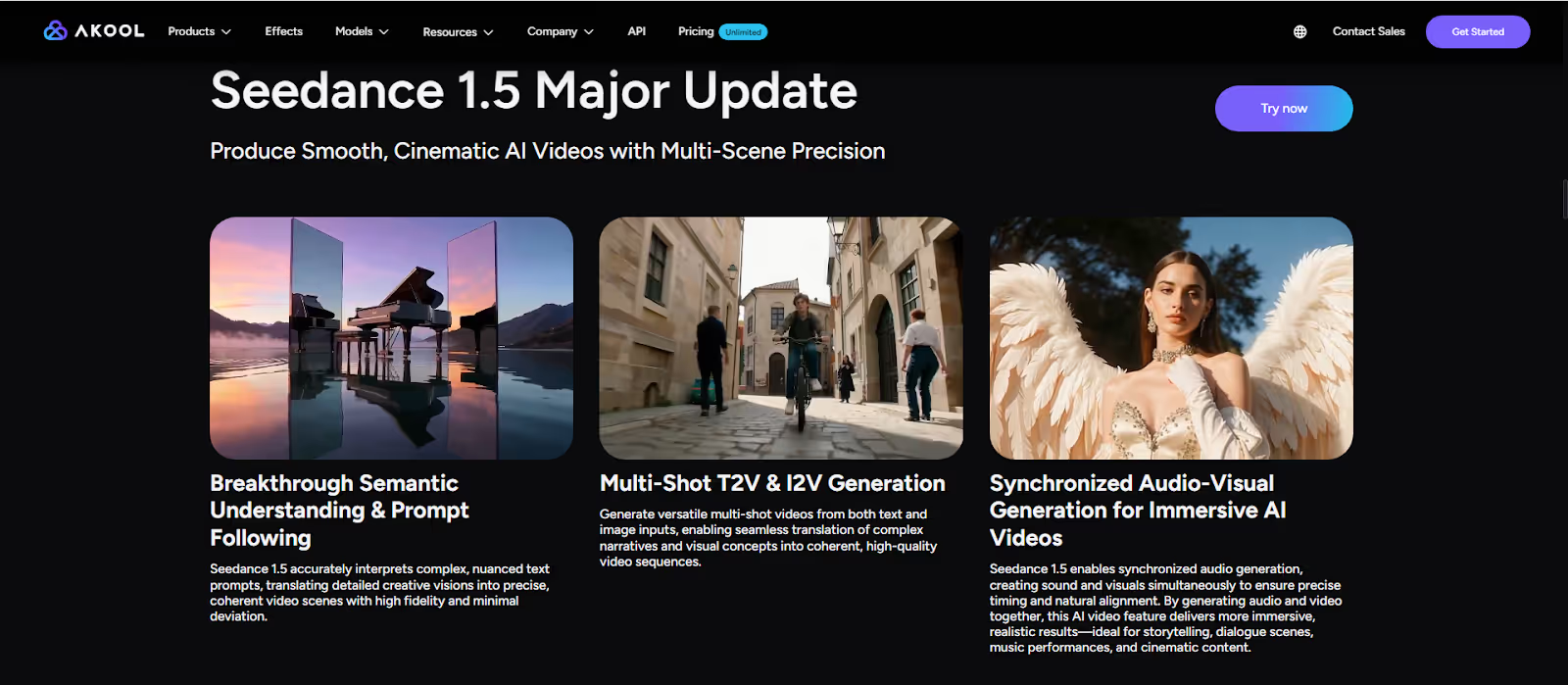
Seedance 1.5 Pro is built around a native AI audio‑video generation engine. That means it creates sound and visuals at the same time, not as separate steps.
This audio‑synced AI video pipeline supports:
- Background music
- Sound effects and action sounds
- Environmental audio (crowds, weather, room tone)
- Instruments and layered ambience
- Human voices and dialogue
By generating audio and video jointly, Seedance 1.5 Pro achieves millisecond‑level lip‑sync and audio‑visual synchronization, so speech, motion, and sound effects line up naturally.
For creators, this removes one of the biggest pain points in AI video creation: you no longer need to patch together separate tracks or manually align sound to motion. The output feels more like a finished video and less like a silent render.
2. Multi‑Speaker & Multilingual AI Dialogue
Seedance 1.5 Pro is also a powerful AI dialogue generator. It makes it easy to create both monologues and multi‑speaker conversations with accurate lip‑sync and expressive delivery.
The model supports:
- Single‑speaker narration or host‑style content
- Multi‑speaker dialogue between several characters
- Multilingual AI video, including:
- Standard Chinese (Mandarin)
- Regional dialects such as Cantonese, Sichuan, Shanghainese, Shaanxi
- English and other languages
This makes Seedance 1.5 Pro ideal for:
- Global product launches with localized videos
- Regional campaigns that require authentic dialects
- Storytelling content where characters speak different languages
Because audio and video are generated together, mouth shapes, timing, and facial motion all reflect the chosen language and speaker.
3. Cinematic‑Quality AI Video Storytelling
Seedance has always been known for its cinematic look; Seedance 1.5 Pro pushes that even further. The model delivers:
- Smooth motion with stable camera movement and realistic physics
- Clear rhythm and pacing, suitable for short dramas, ads, and social content
- Natural emotional expression, from subtle micro‑expressions to full‑body acting
Combined with Seedance’s strong semantic understanding and prompt following, Seedance 1.5 Pro can:
- Interpret complex scenes and character relationships
- Auto‑fill narrative beats based on your prompt intent
- Keep expressions, actions, and reactions cohesive across shots
The result feels much closer to cinematic AI video production than to simple “clip generation”—you’re directing performances, not just generating frames.
How to Use Seedance 1.5 Pro in Akool
Because Akool has integrated Seedance 1.5 Pro into its AI video generator lineup, you can use this advanced model through a simple, guided workflow—no need to manage infrastructure or APIs yourself.
Here’s a straightforward user guide:
1. Start a New Seedance AI Video Project
- Log in to your Akool AI video account.
- Open the video creation dashboard and choose Seedance 1.5 Pro from the model list.
- Pick your base mode:
- Text‑to‑Video AI (T2V) – Start from a script or scene description.
- Image‑to‑Video AI (I2V) – Upload a reference image (character, product, environment) to drive the visual identity.
2. Write a Clear, Story‑Driven Prompt
In your prompt, include:
- Who is on screen (one or multiple speakers)
- What they’re doing (actions, gestures, context)
- What they’re saying (summary or actual lines)
- The mood and style (cinematic, vlog, interview, commercial, etc.)
Example:
“Two friends sitting in a cozy café, speaking English and Mandarin, laughing and chatting about a new game. Cinematic lighting, shallow depth of field, soft background music, warm tone, 1080p.”
Seedance 1.5 Pro will use this to guide both the AI video visuals and the audio.
3. Configure Audio, Language & Voices
Akool exposes Seedance 1.5 Pro’s audio‑visual sync and multilingual options through simple controls. You can:
- Choose the primary language (e.g., English or Chinese)
- Select dialects if needed (Cantonese, Sichuan, etc.)
- Assign different voices to different speakers (for multi‑speaker scenes)
- Enable background music and sound effects
This lets you create multi‑speaker, multilingual AI video without touching a separate audio editor.
4. Generate, Review & Iterate
- Click Generate to let Seedance 1.5 Pro create a first pass.
- Review:
- Lip‑sync and timing
- Emotional expression
- Scene rhythm and camera motion
- Refine your prompt or audio settings and regenerate to tighten performance, pacing, or tone.
Because Seedance models are engineered for efficient inference, iteration cycles are short enough for real production workflows.
5. Export & Use Across Channels
When you’re satisfied with the result:
- Export in your desired resolution (up to 1080p) and aspect ratio (16:9, 9:16, etc.).
- Deploy your Seedance AI video across:
- TikTok, Reels, Shorts, YouTube
- Paid ads and landing pages
- Product explainers, internal comms, or training content
Akool also makes it easy to duplicate projects and create localized variants by simply switching languages or dialects.
Conclusion
Seedance 1.5 Pro is a major step forward for AI video generation: a joint audio‑video AI model that delivers perfect audio‑visual sync, multi‑speaker multilingual dialogue, and truly cinematic storytelling. With native support for background music, sound effects, environmental audio, and expressive voices, it transforms AI clips from silent drafts into polished, production‑ready videos.
Through its integration with Akool, Seedance 1.5 Pro becomes a practical everyday tool. You can go from script or image to fully voiced, lip‑synced, emotionally rich video in minutes without juggling separate tools for animation, editing, and audio.
If you’re ready to level up your AI video creation with synchronized sound, multilingual dialogue, and cinematic motion, this is the model to explore.
Start creating with Seedance 1.5 Pro on Akool today and see how audio‑synced, cinematic AI video can transform your content pipeline.


