


Introduction to HappyHorse 1.0
If you’ve tried modern AI video generation, you’ve probably hit the same wall: great-looking frames, but motion feels off, audio has to be added later, and “story” turns into a sequence of disconnected clips. HappyHorse 1.0 is built to reduce those gaps—delivering cinematic short-form video generation with stronger instruction-following, multi-shot sequencing, and synchronized audio-visual output.
Developed by Alibaba’s Token Hub (ATH) unit, HappyHorse 1.0 was designed for high-quality, cinematic-style video creation and editing workflows, covering multiple generation and editing modes (not just a single text-to-video endpoint).
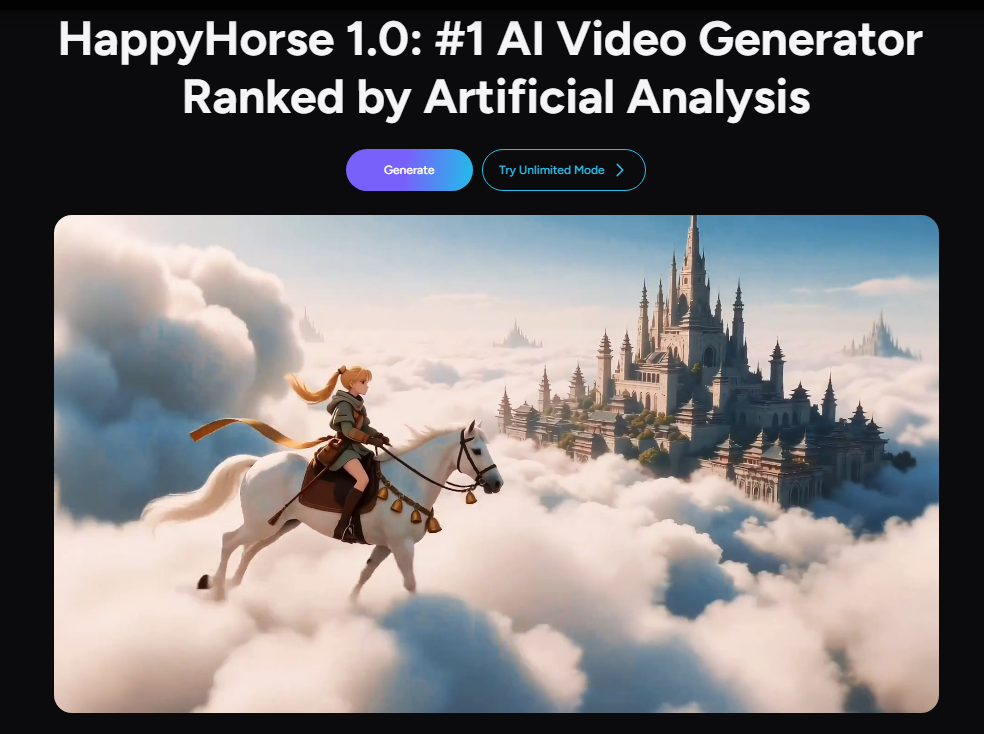
It’s also showing up as a top performer on the Artificial Analysis leaderboards, which rank models using blind user preference votes helpful context if you’re comparing the best AI video models for production.
Key Features and Major Upgrades
Here’s what makes HappyHorse 1.0 stand out for real-world content production and marketing workflows.
1) Text-to-Video, Image-to-Video, and Subject-Driven Generation
HappyHorse 1.0 supports:
- Text-to-video (T2V) for turning detailed scripts into cinematic clips
- Image-to-video (I2V) for animating a still image into motion
- Subject-to-video (S2V) for bringing a specific subject from a reference image into a generated scene while preserving identity and appearance
This matters because creators can move from “idea” → “visual draft” → “consistent character/subject” without switching tools.
2) Native Audio-Visual Synchronization (Audio Included)
Most video models generate silent video first, then you stitch audio afterward. HappyHorse 1.0 is positioned around audio-visual synchronization and multi-shot sequencing, with synchronized output that can include lip-synced dialogue, ambient soundscapes, and expressive vocals.
For content teams, this can cut major steps from the workflow—especially for ad spots, social clips, and narrative-style shorts.
3) Multi-Shot Storytelling Up to 15 Seconds in 1080p
HappyHorse 1.0 supports up to 15 seconds of 1080p video and is described as capable of multi-shot output (useful for short scenes that require cuts and continuity instead of a single continuous camera move).
Separately, public model docs also describe support for 720p/1080p and 3–15 second durations for image-to-video generation, which aligns well with short-form platforms and ad creative testing.
4) Built-In Video Editing: Video-to-Video and Subject + Video Edits
Beyond generation, HappyHorse 1.0 also supports video editing workflows:
- Video-to-video (V2V) to modify an existing video while preserving structure/motion
- Subject-and-video-to-video (SV2V) to insert/replace a subject from a reference image while keeping the rest of the video stable
Alibaba Cloud’s official API reference for HappyHorse video editing describes a workflow where you provide a video plus a reference image and use text instructions for edits like style transfer or local replacement.
5) Strong Leaderboard Performance for Text-to-Video (With and Without Audio)
Artificial Analysis notes HappyHorse-1.0 leading:
- Text-to-video (without audio) rankings, and
- Text-to-video (with audio) rankings, based on Elo scores from blind voting.
If you’re evaluating “which AI video generator is best right now,” this is one of the clearest third-party signals available.
How to Use HappyHorse 1.0 in Akool
Since HappyHorse 1.0 is now available on Akool, you can access it inside Akool’s AI video generator workflow—without managing separate endpoints or tools.
Quick workflow (inside Akool)
- Log in to Akool and open the Video Generator workspace.
- Choose your mode:
- Text to Video (start from a prompt/script), or
- Image to Video (start from a reference image).
- Click Choose model and select HappyHorse 1.0 from the model list.
- Set key creative controls (as available in your workspace), such as:
- Camera movement, shot type, atmosphere, lighting, and other effect settings.
- Generate → review results in your library → iterate quickly.
Pro tip for better results
For text-to-video AI, give the model clear direction on:
- subject + action
- setting + time of day
- camera language (wide shot, close-up, slow push-in, etc.)
- mood (cinematic, documentary, stylized)
For image-to-video AI, start with a sharp, well-lit reference image and specify motion that fits the scene.
Hinweis: Wenn Sie themenbasierte Generierung oder Bearbeitung verwenden, verwenden Sie nur Referenzressourcen, die Sie besitzen oder zu deren Verwendung Sie berechtigt sind.
Fazit und Aufruf zum Handeln
Happy Horse 1.0 ist ein großer Fortschritt in Erstellung von KI-Videos weil es kombiniert Text-zu-Video, Bild-zu-Video, Geschichtenerzählen mit mehreren Aufnahmen und sogar KI-Videobearbeitung, mit synchronisierter audiovisueller Ausgabe, konzipiert für kurze Filmclips.
Bist du bereit, schnellere, filmreife Kurzvideos zu erstellen? Testen Sie HappyHorse 1.0 noch heute auf Akool.


